 TradieDash
Job scheduling for your crew, by day or week
See who is working where, book jobs that are waiting, and keep a history of every change, from your phone or the office.
14-day free trial · no card needed · cancel anytime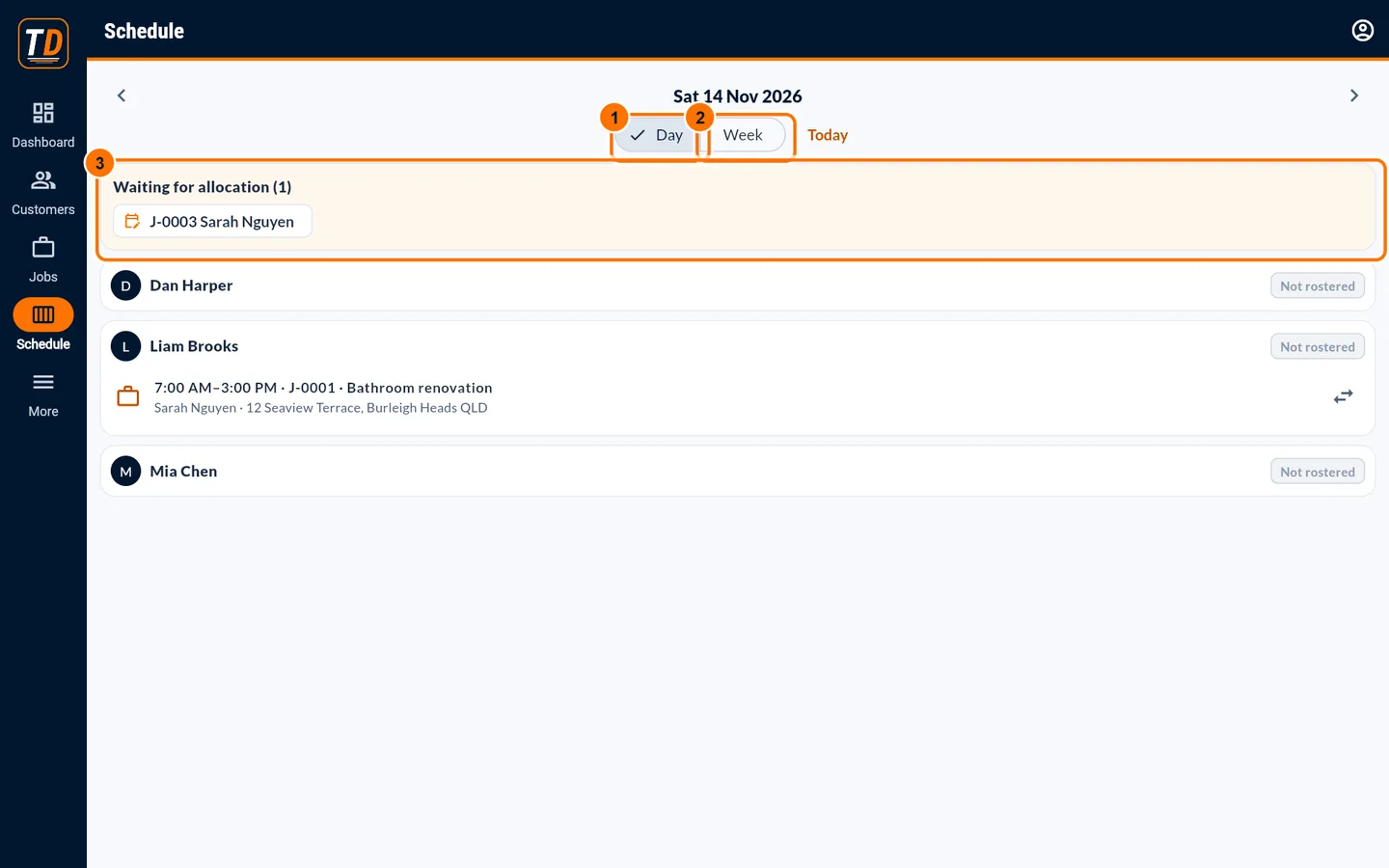
The whiteboard doesn't fit in your ute
When the schedule lives on a whiteboard or in one person's head, people turn up at the wrong site. TradieDash puts the schedule where everyone can see it, and each worker sees their own.
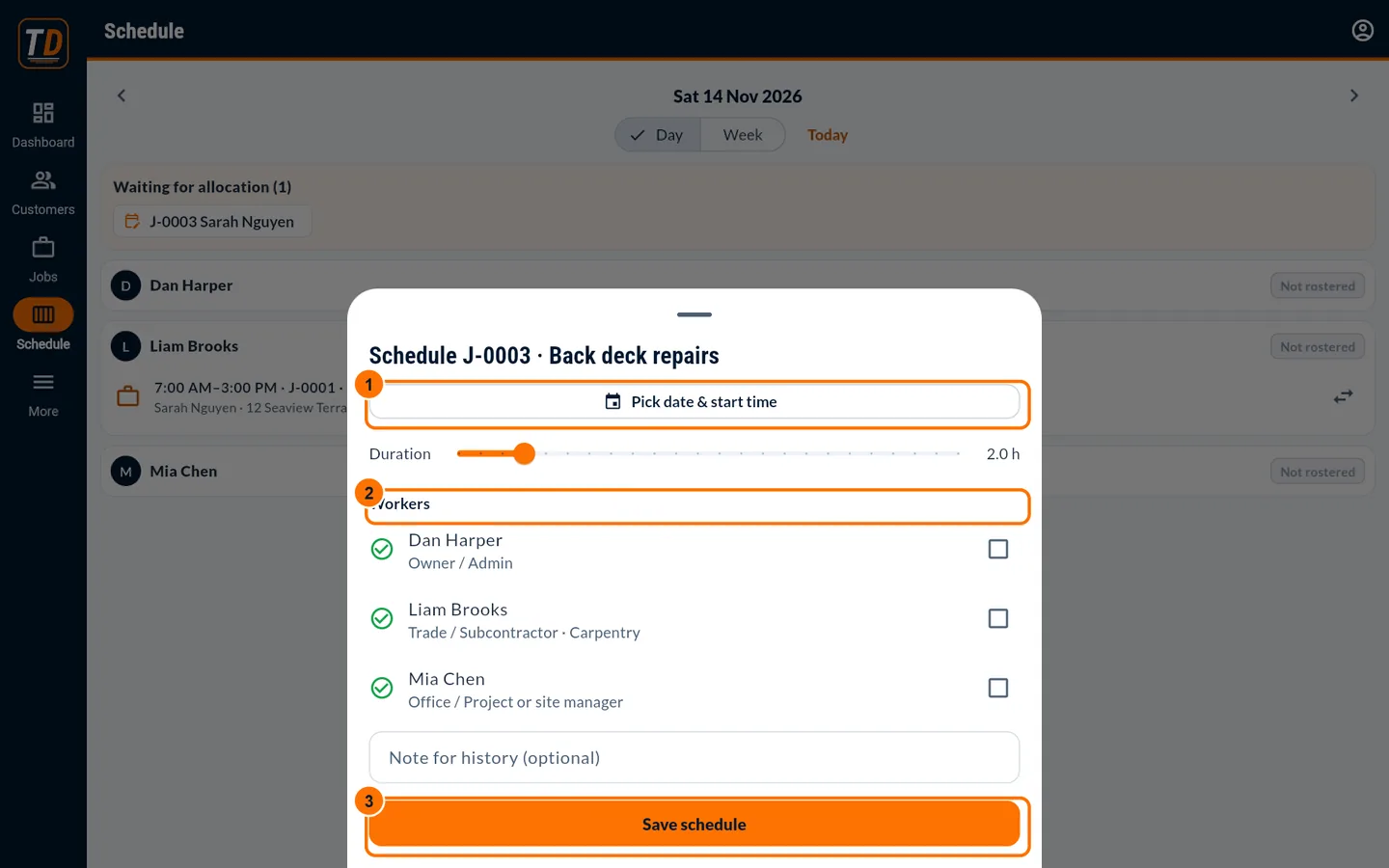
Book a job in one sheet
Pick the date and start time, the duration and the workers, then save.
- Clash warning if someone is already booked
- Add a note to the schedule history
- Reschedule or reassign from the job page
Day and week views
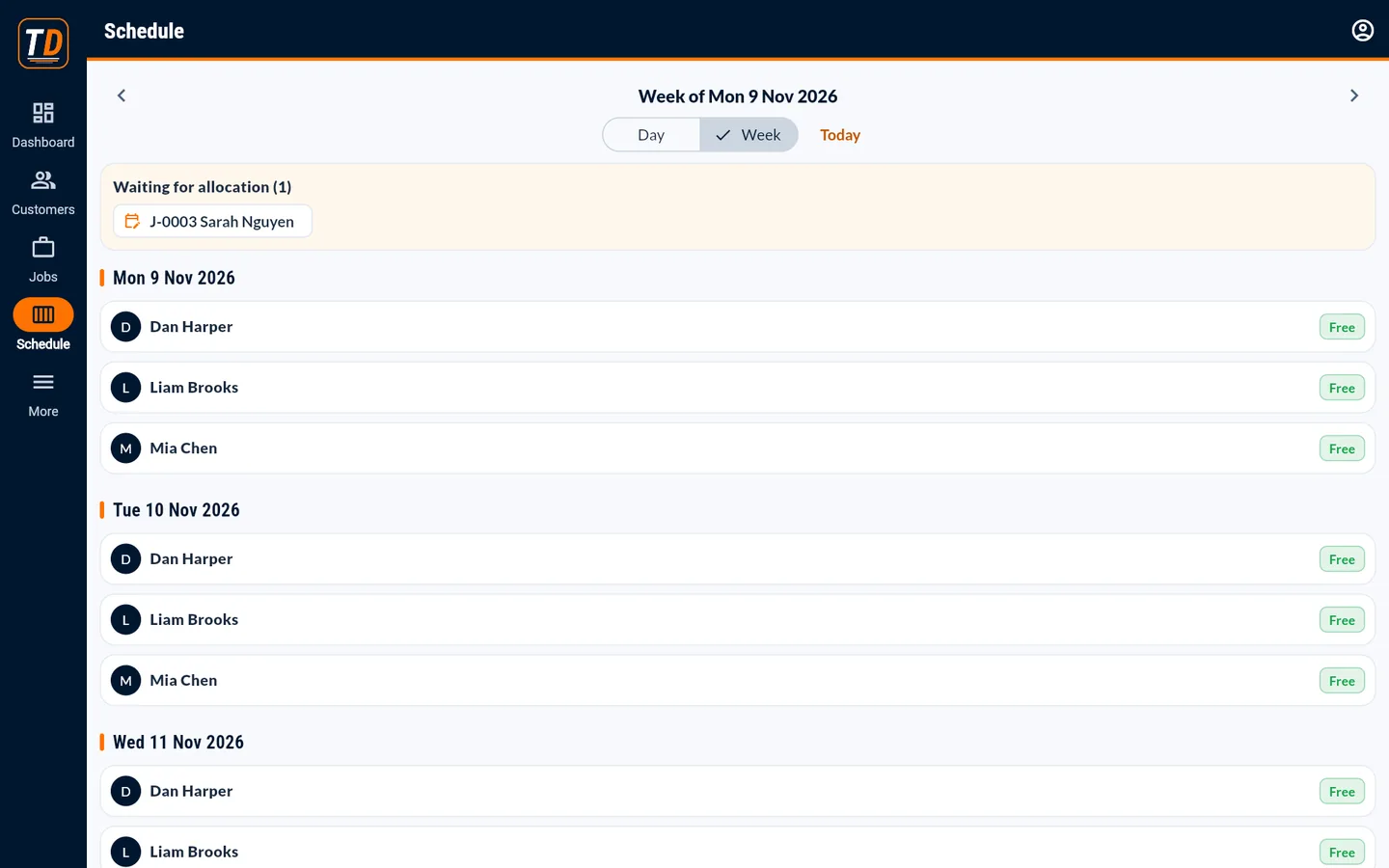
See every worker's day, or the week ahead, and jobs past their booking that are not finished.
- Jobs waiting for allocation at the top
- Workers see their own schedule on their phone
How it works
Create the job
It appears under "Waiting for allocation".
Book it
Choose the date, time and workers.
Crew sees it
Each worker sees their bookings and tasks on their phone.
One price per business. Your whole team is included, and subcontractors you invite join their projects free.
- 14-day free trial. No card needed to start.
- Cancel anytime.
- Every feature is included. There are no add-ons or higher tiers.
Common questions
Does TradieDash send schedule notifications by SMS?
Not yet. Workers see their schedule and tasks when they open the app, so ask your crew to check it at the start of the day.
Can I schedule subcontractors?
You assign tasks to a subcontracting company on your project, and their manager assigns their own workers.
Put the schedule where your crew can see it
14-day free trial. No card needed. Set up in about 15 minutes.
Get started with TradieDash